Sending
Consent & suppressions
Who may receive which email, double opt-in, and blocklists.
Audryo checks every recipient before every send. If there is a reason not to email someone, the email is skipped — never sent "just in case".
Who can receive what
| Check | Applies to | Where it comes from |
|---|---|---|
| Consent | Marketing and newsletter emails | The consent history on each contact |
| Suppression | All emails, including transactional | Bounces, complaints, unsubscribes, manual holds |
| Blocklist | All emails | Standing rules for addresses or domains |
People who fail a check show as blocked on Journeys and suppressed on campaigns. That is working as intended.
Record consent
In the app: open Data → Contacts, pick a contact, open Consent, and click Record consent. Choose the purpose (marketing or newsletter), grant or revoke, and note the source — for example "signup form, 2026-09-01".
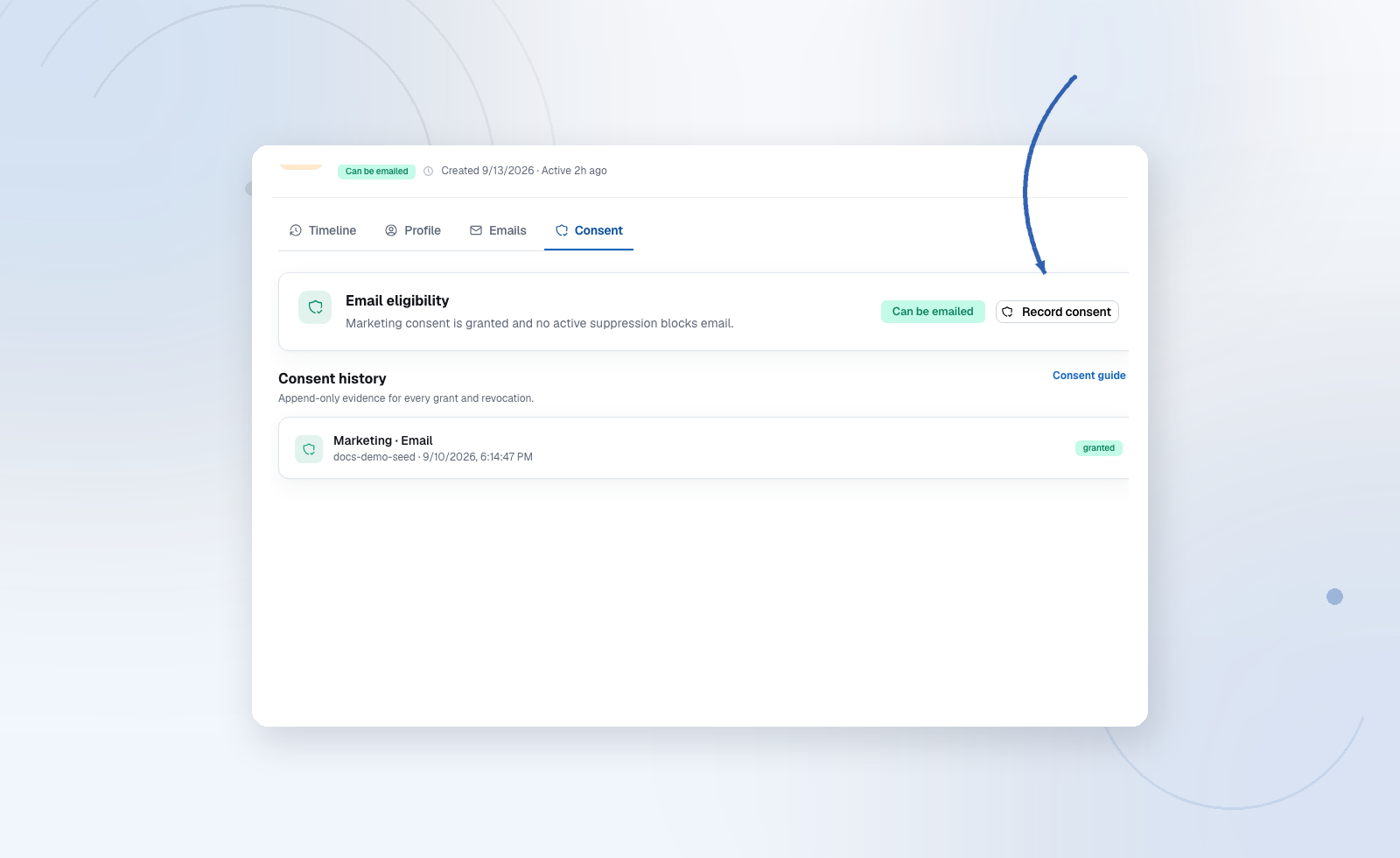
By API: record consent events from your signup flow. A contact property such as subscribed: true does not count as consent.
Every entry is permanent and timestamped, so you can always show when and how someone agreed.
Double opt-in
Turn it on under Settings → General → Consent. New marketing signups then receive a confirmation email and stay pending until they click the link. Pending contacts get no marketing email.
Prepare the confirmation email for every language you collect signups in, so it matches your brand and your signup form.
Suppressions
A suppression for all email stops every email to one address. An unsubscribe only stops marketing, newsletter and product-service email; operational and transactional email still arrives. See communication classes. Audryo creates them automatically for bounces and complaints — once your provider webhook is connected. Add one manually for legal requests or known bad addresses.
Manage them under Settings → Email delivery.
Blocklist
For rules rather than individual cases, such as "never email a competitor's domain". Add exact addresses or wildcards (*@example.com). The blocklist applies when contacts sync and when emails send.
Unsubscribe and preferences
Every marketing email carries an unsubscribe link and, if you use mailing lists, a preference link where people choose topics. Audryo adds both automatically. Keep them — replacing them with a "reply to unsubscribe" address breaks compliance.
The preferences and unsubscribe pages show your project name and icon so recipients can recognize the sender. If no icon is available, they show the project’s initial instead.
Mailing lists are topics people opt into. Audiences are live rules. Set up lists under Settings → Mailing lists, segment with an audience List rule, and optionally attach a topic to a campaign or journey email so opt-outs for that topic are respected at send time.
Erasing a contact
Erase on a contact profile permanently deletes their personal data. An anonymous suppression remains so the address is not emailed again if it comes back. Erasure is irreversible and recorded in the audit log.