Get started
Connect your ESP
Connect Resend, Mailgun, or any SMTP server, and verify your sending domain.
Audryo orchestrates your lifecycle email, but customer mail always leaves through an email provider (ESP) you control — never from Audryo's own mail servers. That means you keep billing, sending reputation, and provider support in your own account; Audryo handles journeys, consent, and review on top.
| Provider | Best for | What you add |
|---|---|---|
| [Resend](https://resend.com) (recommended) | Fast setup, automatic bounce handling | API key, then DNS records |
| Mailgun | Teams already on Mailgun | Private API key, then DNS records |
| Custom SMTP | Any other provider or your own mail server | Host, port, encryption, login |
You'll need a domain you can edit the DNS for. Free hosting subdomains (*.vercel.app,*.netlify.app, and similar) can't be used as a sending domain.
Why a subdomain
Use something like mail.yourcompany.com or updates.yourcompany.com rather than your bare root domain. It keeps your ESP's DNS records separate from your main website and limits the blast radius if your sending reputation ever takes a hit.
Step by step
1. Open Email delivery settings
Go to Settings → Email delivery.
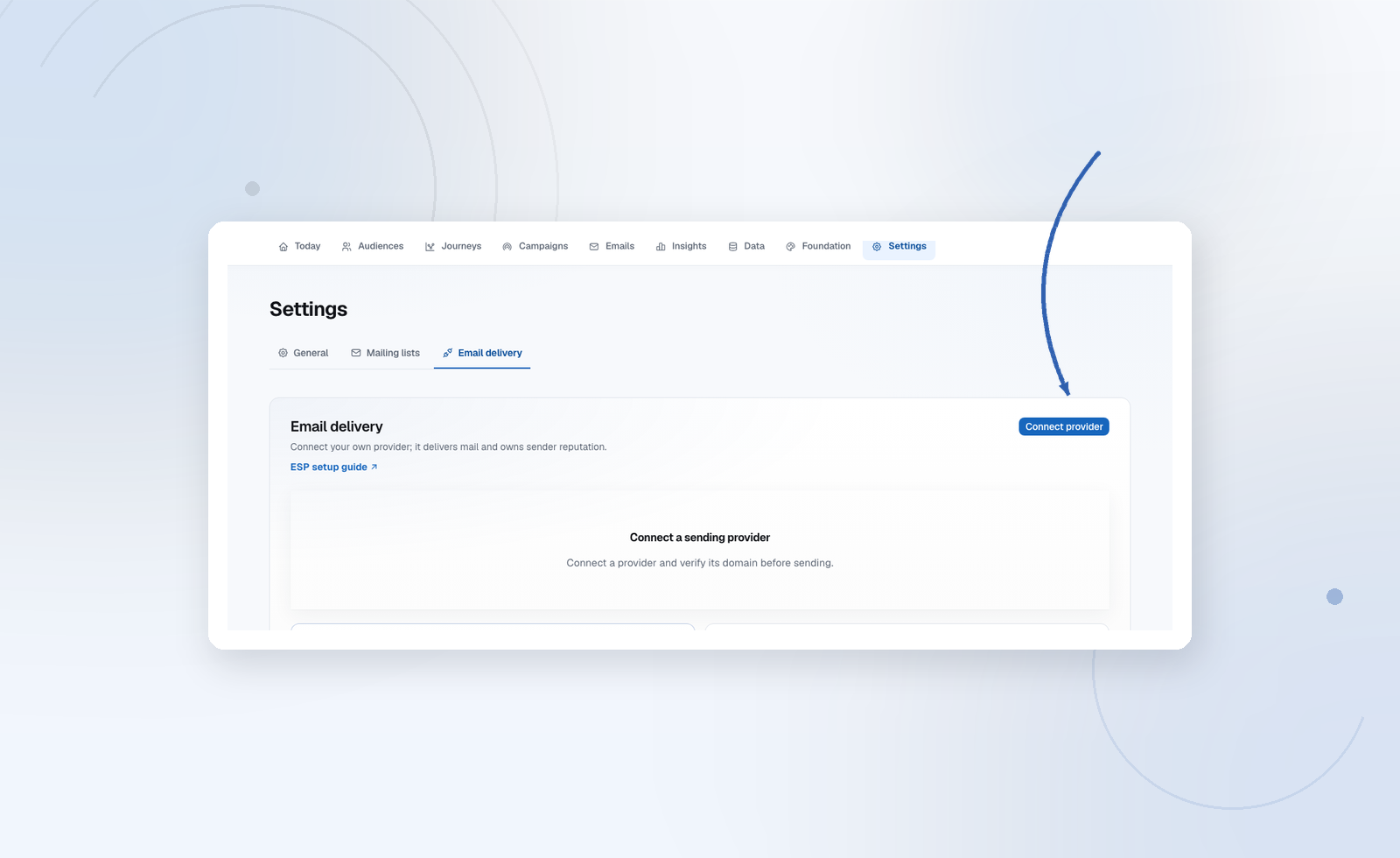
2. Choose a provider
Pick Resend (recommended), Mailgun, or Custom SMTP. For Resend and Mailgun, paste in the API key from your provider's dashboard. For SMTP, see Custom SMTP below. Set:
- Your sending domain (e.g.
mail.example.com) - The From name and From email address you want recipients to see
- Optionally, a reply-to address — CC/BCC live under Advanced options
3. Publish the DNS records
Audryo shows you the SPF, DKIM, and related records your provider needs. Copy them into your domain registrar or DNS host (Cloudflare, Route 53, Namecheap, etc.), or download the ready-made list from this screen and hand it to whoever manages your DNS.
4. Connect delivery feedback
If you're on Resend, register the webhook URL Audryo shows you back in your Resend project, and paste the signing secret into Audryo. Without this step, bounces and complaints won't automatically suppress future sends — Audryo just won't know about them.
5. Verify
Click Refresh until the status shows Verified. DNS changes usually propagate within a few minutes, occasionally up to an hour — if it's not verified right away, that's normal, just check back.
Until verification succeeds, a live project's journeys and campaigns refuse to activate, with a clear explanation of what's still missing — Audryo never sends unauthenticated mail hoping it works out. Projects in sandbox mode are not blocked: they keep capturing every email while you finish DNS.
6. Go live
New projects start in sandbox mode. Once the domain is verified, click Go live at the top of Settings → Email delivery. Active journeys pause so nothing from testing reaches real people; resume them when you're ready.
Custom SMTP
Use Custom SMTP when your provider isn't listed — for example Postmark, Brevo, Amazon SES SMTP, SendGrid, Microsoft 365, or your own server.
| Setting | What to enter |
|---|---|
| Host | Your provider's SMTP server, e.g. smtp.example.com |
| Encryption | STARTTLS (port 587, most common), SSL/TLS (port 465), or None (port 25, not recommended) |
| Port | Filled in from the encryption; change it if your provider uses another port, e.g. 2525 |
| Authentication | PLAIN or LOGIN for most providers, CRAM-MD5 if required, or none for servers that allow it by IP |
| Username / Password | The SMTP credentials from your provider. The password is stored encrypted and never shown again |
Click Connect and test. Audryo connects to the server and signs in; the status shows Connected when it works, or the exact error when it doesn't — for example a wrong password or a blocked port. Use Test connection to try again after fixing it.
Two things work differently from Resend and Mailgun:
- DNS: Audryo can't read SPF and DKIM from an SMTP server, so there are no records to copy here. Set them up for your domain at your SMTP provider — otherwise mail is likely to land in spam.
- Bounces: SMTP doesn't report bounces or complaints back to Audryo. Watch your provider's bounce reports and add suppressions for addresses that fail.
Updating sender details later
You can change the From name, reply-to, or CC/BCC addresses at any time from the same Settings → Email delivery screen without needing to re-verify your domain — that only happens if you change the domain itself.
Troubleshooting
| Symptom | What to check |
|---|---|
| Records stay unverified | Give DNS more time to propagate; double-check you matched Type/Name/Value exactly; if your DNS host proxies traffic (like Cloudflare's orange cloud), try turning that off for the ESP's records |
| A journey won't activate | Open the journey's Review tab — it lists every blocker, including an unverified sending identity |
| Bounces aren't suppressing new sends | Confirm the provider webhook and signing secret are connected. On Custom SMTP this is not available — add suppressions manually |
| SMTP: "rejected the username or password" | Check the credentials and the authentication method; some providers need an app password or API key as the password |
| SMTP: "Could not reach host" | Check host and port, and try the other encryption option — 587 expects STARTTLS, 465 expects SSL/TLS |
| The wrong From address is showing | Check whether a specific email has its own sender override under From & replies in the editor |